
How to Budget Without a Spreadsheet
You do not need Excel or a complicated spreadsheet to create an effective budget. A budget simply needs to show what money is coming in, what is being spent and what remains. You can do this using a budgeting tool, an app, or even a notebook. What matters is that the results are clear, enable you to make informed decisions, and that it is straightforward enough for you to update as your circumstances change.
This guide walks you through how to plan and maintain a household budget without building formulas or managing a complex spreadsheet.
Do you need a spreadsheet to make a budget?
A spreadsheet can be a useful budgeting tool, but it is not essential. A budget only needs to help you:
- Record your income
- Record your regular bills
- Estimate everyday spending
- Allow for annual and irregular costs
- Set money aside for savings
- See what remains and make decisions
The best budgeting method is usually the one you understand and can realistically maintain. A sophisticated spreadsheet is not automatically a better budget. A simple system that is reviewed regularly is often more useful than a detailed spreadsheet that becomes a chore to maintain.
Why budgeting spreadsheets can become difficult
Spreadsheets suit some people very well, but they can also create friction that puts people off budgeting altogether. Common difficulties include:
- Setting up formulas correctly
- Adding or removing categories as circumstances change
- Copying formulas between months without errors
- Accidentally overwriting cells or breaking links
- Using the spreadsheet comfortably on a phone
- Keeping track of annual and irregular costs
- Time spent entering transactions and figures
- Understanding what the final figures actually mean
- Spending more time maintaining the spreadsheet than reviewing the budget
If you enjoy working with spreadsheets and find them helpful, there is no reason to change. This guide is aimed at people who would prefer a simpler approach.
The problem is not the spreadsheet itself. The problem is using a system that feels harder to maintain than the budget it is meant to simplify.
What information do you actually need?
Budgeting does not need to begin with formulas. It begins with gathering a clear picture of your money. In practice this comes down to five groups of information.
Monthly income
- Take-home pay from employment
- Self-employment income
- Benefits
- Pension income
- Maintenance payments
- Regular household contributions
- Other dependable income
Use the amount that is actually available after tax, National Insurance, pension deductions and other deductions. Estimate your monthly take-home pay with My Simple Salary.
Essential bills
- Rent or mortgage
- Council Tax
- Gas and electricity
- Water
- Insurance policies
- Broadband
- Mobile phone
- Childcare
- Essential transport
- Minimum debt repayments
Everyday spending
- Groceries
- Fuel
- Public transport
- Eating out
- Clothing
- Entertainment
- Subscriptions
- Children’s activities
- Household purchases
- Personal care
Annual and irregular costs
- Car insurance
- MOT
- Car servicing
- Christmas
- Birthdays
- Holidays
- School costs
- Home repairs
- Annual subscriptions
- Professional fees
Annual costs can be divided by 12 to give a monthly allowance, so the money is set aside gradually rather than appearing as an unexpected bill.
Savings
- Emergency savings
- Annual bills
- Holidays
- Home improvements
- Car replacement
- Longer-term goals
A simple budgeting process without Excel
Once your information is gathered, the process itself can be broken down into a small number of steps.
Step 1: Record your monthly income
Use take-home income rather than gross salary. If your income varies from month to month, a cautious estimate based on a lower or typical month usually gives a more reliable starting point.
Step 2: Record fixed household bills
List the bills that stay broadly similar each month. These are often taken by direct debit, so a recent bank statement is a good place to start.
Step 3: Estimate everyday spending
Reviewing the last two or three months of bank and card statements usually gives a more accurate figure than relying on memory alone.
Step 4: Add monthly allowances for annual costs
Annual expenses should not be ignored simply because they are not paid every month. Dividing the yearly cost by 12 spreads them evenly across the year.
Step 5: Add realistic savings
Base savings on what your household can afford consistently. There is no percentage that suits everyone, so it is often better to start with an amount you can genuinely commit to and adjust it over time.
Step 6: Compare income with planned spending
Monthly income − Planned spending = Amount remaining
The result may show:
- Money available for saving
- Money available for flexible spending
- A need to reduce certain costs
- A need to revisit spending estimates
- Missing or forgotten expenses
Step 7: Review the budget regularly
Update the budget whenever your income, household costs or circumstances change. Even without changes, a regular check keeps the figures accurate and useful.
Example of a spreadsheet-free budget
The example below shows how a fictional UK household might set out a monthly budget without a spreadsheet. It is illustrative only and not a recommended budget for every household.
| Category | Monthly amount |
|---|---|
| Household take-home income | £3,000 |
| Housing and essential bills | £1,350 |
| Groceries and transport | £600 |
| Other regular spending | £400 |
| Savings and annual-cost funds | £300 |
| Remaining amount | £350 |
The remaining £350 could be divided between flexible spending, additional savings and a buffer for unexpected costs.
Alternatives to a traditional budgeting spreadsheet
There is more than one way to build a budget. The right choice depends on how you prefer to work and what you will realistically keep using.
Guided budgeting tool
A guided tool takes you through income and spending categories step by step, so you do not need to design the structure yourself.
Budgeting app
Apps can be helpful for regular updates on the go and typically work well on mobile.
Notebook or printed budget
Some people prefer writing figures down manually. A simple notebook or a printed template can work very well if you enjoy that process.
Bank account categories or spending pots
Many banking apps allow money to be separated into different pots or categories, which can make it easier to keep planned amounts apart from everyday spending.
The advantages of a guided budgeting tool
For people who would rather not build a spreadsheet, a guided budgeting tool can help by:
- Providing clear categories to work through
- Reducing the need to build or maintain formulas
- Presenting figures in an understandable format
- Working more comfortably on mobile
- Helping you avoid missing common costs
- Making the process feel less intimidating
- Allowing changes without rebuilding the structure from scratch
A guided tool is not the only way to budget, and it will not suit everyone. It simply removes some of the setup and maintenance work that can put people off.
Common mistakes when budgeting without a spreadsheet
Whichever method you choose, there are a few common pitfalls worth being aware of:
- Guessing expenses instead of checking recent bank statements
- Leaving out small subscriptions that quietly add up over the month
- Forgetting annual bills such as car insurance or the MOT
- Using gross salary instead of take-home pay
- Treating every remaining pound as available to spend
- Choosing a system that is too complicated to update regularly
- Failing to review the budget after household costs change
- Setting unrealistic savings targets that quickly become unaffordable
When a spreadsheet may still be useful
A spreadsheet can still be the right choice for some people, particularly if you:
- Enjoy working with Excel or Google Sheets
- Want complete control over every formula
- Need detailed scenario modelling
- Manage several income streams
- Want to customise every category
- Regularly analyse historical figures
The aim is not to avoid spreadsheets at all costs. It is to choose the simplest method that gives you a clear and reliable view of your finances.
Build your budget without creating a spreadsheet
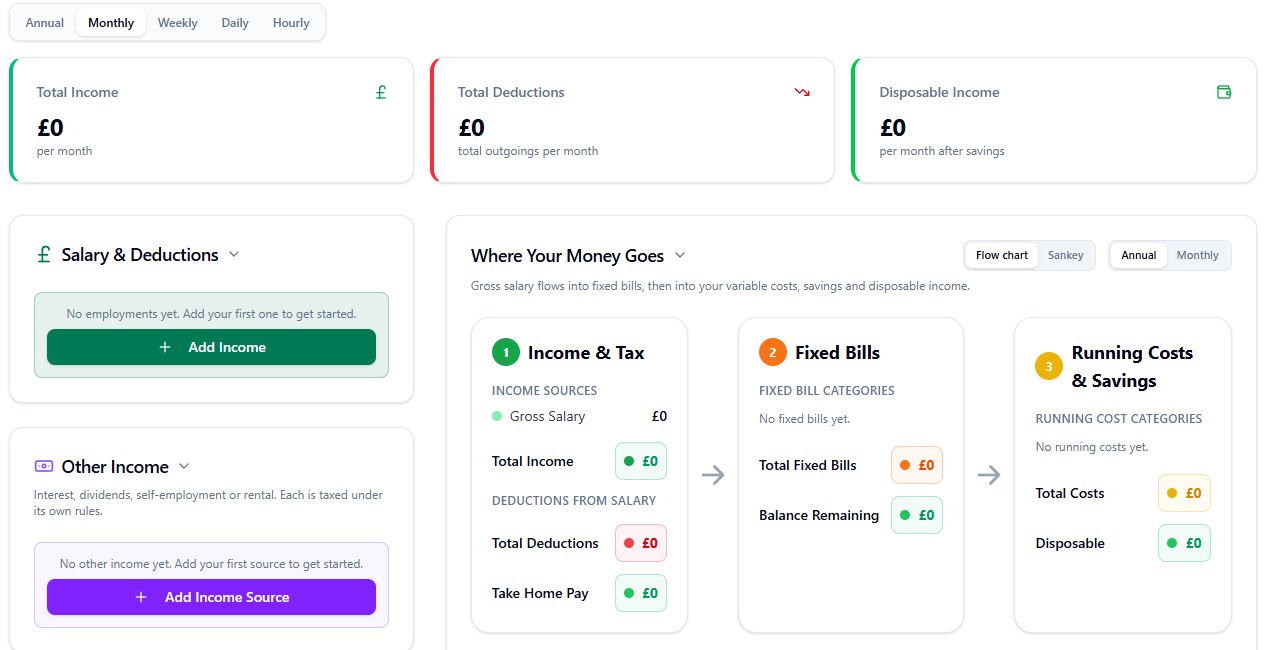
My Simple Budget guides you through your income and spending step by step, helping you understand where your money is going and what may remain after planned costs.
Frequently asked questions
Can I make a budget without Excel?
Yes. Excel is optional. You can build a budget using a guided budgeting tool, a mobile app, a notebook or any simple written system that you will keep up to date.
What is the easiest way to create a monthly budget?
The easiest method is usually one that guides you through income, essential bills, everyday spending, annual costs and savings in a clear order, so nothing important is missed.
Is a budgeting app better than a spreadsheet?
Neither is automatically better. The right choice depends on whether you prefer flexibility and detailed customisation or a simpler guided process that is quicker to maintain.
What information do I need to make a budget?
You need your monthly take-home income, essential bills, everyday spending, any debt repayments, savings and an allowance for annual or irregular costs.
How often should I update my budget?
Review your budget whenever your income, bills or household circumstances change, and otherwise check it regularly to keep it accurate.
How do I budget for bills that are paid annually?
Divide the annual amount by 12 and include it as a monthly saving or budget category, so the money is set aside gradually.
Related guides
About My Simple Apps
My Simple Apps creates practical tools designed to make everyday decisions easier. Its finance tools are informed by five years of practical experience working in tax and accounts, with a focus on clear and accessible information.
This guide provides general information only and does not constitute personal financial, tax or debt advice. Figures produced by the tools are estimates based on the information entered.